| WEEK 01 |
PLAN |
| Monday |
TODAY'S WORK
- Opening PowerPoint of Expectations, Rules and how the class works.
- HANDOUTS:
COMPUTER RULES SHEET - Hand Out Computer Rule Sheet
ADOBE / CERTIPORT Testing Sheet
Bring it back tomorrow!
Both of these sheets are on FOCUS if you need another copy.
- Initial Computer Log in.
- Look around.
HOMEWORK:
- Get Rules sheet signed
- Adobe/Certiport Sheet signed
|
| Tuesday |
Why is it important to customize your computer settings You should have a good understanding of how setting up a computer to your personal preferences can make your user experience better and more efficient. ?
TODAY'S WORK
- Review opening PowerPoint of Expectations, Rules and how the class works.
- TURN IN TOMORROW:
COMPUTER RULES SHEET - Hand Out Computer Rule Sheet (Copy on FOCUS)
- CERTIPORT Sheet (Copy on FOCUS)
- Computer Set up - Use this video to set up your computer ->Computer Set Up VideoSet up Start Menu/PinPrograms/Set up TaskBar/MS Edge
Default Apps settings
- LAUNCHPAD: LaunchPad SetUp Logging in and setting up and Arranging Icons
Google Share account (123435@share.brevardschools.org)
- FOCUS bathroom app
- OFFICE365 ACCOUNT:(5:40 in video)Look through to check out programs.
- ONEDRIVE: When you set it up, you should have access to both Online and Downloaded version
You can also download it to use at home --> HERE.(But most windows have it already!)
ONLY USE THE OneDrive-Brevard Public Schools
NEVER USE THE OneDrive - Personal
|
| Wednesday |
YESTERDAY'S WORK
- Turn in your homework / Lab Rules and Certiport.
yesterday:
1. TaskBar Setup
2. LaunchPad Organized
3. Google Drive Organized
You did set up your folders yesterday on OneDrive, right?
DVT1 -> AfterEffects, Premiere, Stuff, Personal Make sure you did these things
4. OneDrive Organized
TODAY'S WORK
- Picture Time
We are going to use the green screen to get some pictures of you to use in your online presence. (We will not be using the "real" picture but will modify it to use.)
Be creative and do several poses - At least 10!
- We will get all pictures to you - Put them in your Personal Folder
- Avatar Creation
Use the following sites to make your an Avatar - some are better than others, but you have a choice - you need to make 3-5 different characters and YES they should look like you! You will need to use PrintScreen / Snippets to save the picture. DO NOT log in to any of these sites. Save them as Avatar1, Avatar2 Avatar3
Put them into your Personal folder.
- AVATAR
1. AvatarMaker.net - My Favorite - Use Download / PNG 400X400
2.GetAvataaars.com Ok Download as PNG
3.
These are good too BUT might not work at school --> Cartoonify
4. Meh -> avatarmaker.com Looks OK Use Download PNG 400X400
- We will be making more using your images at a later date.
|
| Thursday |
How can setting up an image for your profile pic help people to identify you?
What programs do you have access to?
YESTERDAY'S WORK
- Make sure you did these things:
1. TaskBar Setup / LaunchPad-FOCUS Organized / Mail=Outlook inOffice365
2. Set up folders
TODAY'S WORK
- We are looking at Canva today via LaunchPad
- Get one of your pictures to upload and do the following:
1. Upload
2. Remove Background
3. Add some cool effects (as shown in class)
4. Make sure you are saving the items
YES you will probably mess up, just start again, it's not too bad!
5. IF time, animate your avatar!
6. Make 3 different looking Avatars using Canva
7. I'll show you how to download them tomorrow
|
| Friday` |
How can setting up an image for your profile pic help people to identify you?
TODAY'S WORK 3 Things to do today!
- OK Time to turn in some work! -I'll help you with this.
- You will choose your best Avatar to upload (Video here -->Avatar Profile)
1. LaunchPad Account (Top Right)
2.
Google Share (Top Right)
3. Microsoft Account (Office365) (Bottom Left)
Upload your best Avatar to Office365 and Google (Look for settings!)
- MAIL ME YOUR WORK BUT stay with me!!!!!
ASSIGNMENT: How to Use Outlook and Send Snippets
U
se Outlook to send me an e-mail angove.john@brevardschools.org
SUBJECT: LastName, First Name and Period XX
BODY: Pictures Listed Below
1. Picture of your 3 Avatars from online (Wed Plans)
2. Picture of OneDrive Folders (From Tuesday)
3. Picture of TaskBar (from Tuesday)
4. Picture of Your AI Animal,
Bulldog, and 3 of yourself!
5. Outlook Avatar (I'll see it when I check your email - just make sure it's there.)
DO NOT SEND ATTACHMENTS!
ONLY embedded images using the Snipping Tool
You can do most of this at home if you are behind.
- CANVA ASSIGNMENT - ALL ABOUT ME
Search for an "All About Me" poster - choose one and create it.
You do NOT need to download it just yet - due later next week, but hopefully get it done today!
Your poster should have:
1. Edited Picture of you
2. Facts about you (though nothing too personal)
3. A picture from online (copy and paste)
4. Save it as AllAboutMe
5. We'll turn it in next week - remember you have access online at home as well if you are having troubles.
See My Example
|
| Other |
|
| WEEK 02 |
PLAN |
| Monday |
YESTERDAY'S WORK
- Did you get full credit on your email? If not, Check your email.
You get ONE MORE CHANCE to do it right if you want to....
- Lab Fee is coming up in a week or two - I'll let you know.
- Did you turn in your Rules and Certiport Sheet?
TODAY'S WORK - 3 Thing to do today!
- Finish your About Me when you have the time - you CAN do it at home as well. Will be turned in sometime in the future. Download it and then Upload it to FOCUS. If you need help, ask your neighbors for help then me.
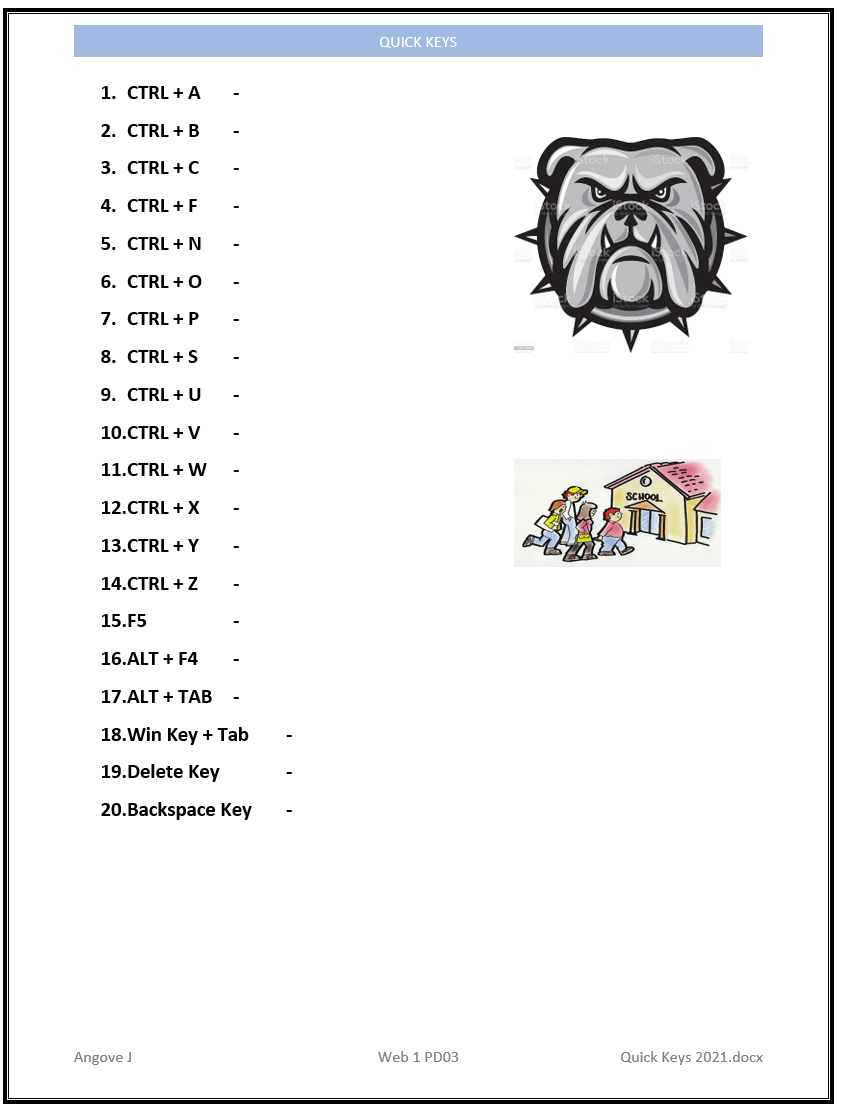
- Lesson on QuickKeys HERE is a basic picture (I know it's hard to see the board)
- You will start a new word worksheet (maybe online IF word is not installed on your computer.
- Upload it to FOCUS when you are done.
|
| Tuesday |
YESTERDAY'S WORK
- Check your grade - see if there are any issues - LMK
TODAY'S WORK 2 lessons today
- Short Lesson on images and internet searches today.
- Download 5 Bulldogs with transparent background in PNG or WEBP format.
What is the difference between JPG, PNG and GIF?
Worksheet is HERE
1. RIGHT click and use Save As to your Stuff Folder
2. Select KEEP on the top right download thing
3. Open
4. Yellow bar - enable content- Upload to FOCUS when done.(FOCUS didn't work yesterday - maybe today!
|
| Wednesday |
TODAY'S WORK
- Check out these videos from students - pretty cool
Baby Driver Remake 1
Baby Driver Remake 2 (good comparison!!!)
On a Bus - not as good, but OK.
- Time to look at some YouTube videos today!! Look for videos that interest you and write a short description about the people making the videos and why you like it / or makes their stuff so interesting.
- Using YouTube, find a 3 videographers that are shooting cool stuff. Try to find people and not companies if possible.
- You can find almost anyone (school appropriate) BUT they should have over 30 videos, a lot of subscribers, and good content.
PLEASE NO cats, video games OR sports stuff!!!!!
You might not be able to find all the information, just do your best and/or put information that they do have listed.
- ASSIGNMENT: Make a new PowerPoint (Using either online Office365 OR Office installed on the computer. Save it as YouTubeVideographer in your Stuff Folder.
- Slide 1 - Introduction with your name and title YouTube Videographer.
- Slide 2 - 1st YouTube Person - Information (see below) and embed your favorite video about them.
- Slide 3 -2nd YouTube Person
- Slide 4 - 3rd YouTube Person
- INFORMATION ABOUT THEM:
1. Intro with name of person / Link to YouTube/Website & Instagram account.
2.
A little about the background of the person (Do they have formal schooling, etc.?)
3. What are the main types of videos they are shooting and why it appeals to you.
4. What type of equipment do they use? (Might not be able to find.)
5. Embed YouTube video in the first one. (YES you can figure this out do a search!)
6. Same thing for video 2/3
- IF you want a template to use HERE you go
1. RIGHT click and use Save As to your Stuff Folder
2. Select KEEP on the top right download thing
3. Open
4. Yellow bar - enable content
- HERE is a video that shows you what I am looking for.
DO NOT USE THESE BUT:
Here are some of my favorites that I like to follow:
|
| Thursday |
TODAY'S WORK
- Continue on with PowerPoint on YouTube Videographers
- Upload your PowerPoint to FOCUS
DO NOT MAIL IT TO ME - DO NOT SHARE IT WITH ME!!!!
|
| Friday |
LEARNING INTENTION:
- Students should think about proper camera placements for the best angles.
- Understanding of the principle of Rule of Thirds.
SUCCESS CRITERIA
- Understanding of camera angles that work for the viewer.
- Demonstration of the concept through images and class discussion.
BELL WORK
- Check grades / FOCUS to see if you can turn anything in
- I'll go over this with you -> Rule of Thirds (PDF 24MB)
TODAY'S WORK
- YOU WILL TURN IN YOUR POWER POINT THROUGH FOCUS - I'M NOT SURE IF IT IS WORKING JUST YET. District is aware and working on the issue! PLEASE Do not email or share with me.
- Rule of Thirds and Composition - Photography/Filming Technique worksheet
- HERE is worksheet about composition/rule of thirds.
1. RIGHT click and use Save As to your Stuff Folder
2. Select KEEP on the top right download thing
3. Open top right (should work with Word Installed)
- Your answers will be on a link at the top of the worksheet where you will find most of the answers except Golden Spiral, which is on the Interwebs.
- Upload your worksheet to FOCUS when you are done.
- Check your grades to see if all is well.
|
| Other |
Adoe Express Starter Pack |
| WEEK 03 |
PLAN |
| Monday |
LEARNING INTENTION:
- Students will create a Portfolio website to showcase their work with today's focus on creating a banner for their website.
SUCCESS CRITERIA
- Use of Adobe Express to create a Banner for student portfolio site.
- Students activate their adobe license.
- their are 3 types of access to Adobe programs.
Online, Tablets, and Program Download.
BELL WORK
- Check out Angove's student website from last year. Watch the first movies.
TODAY'S WORK
- Can we upload to FOCUS? If so - please do so!
- Time to log into Adobe Programs.
- Open Creative Cloud (WINDOWS Key - Creative Cloud)
DO NOT USE GOOGLE TO LOG IN - DO NOT USE GOOGLE!!!!!!
- YOU MUST USE 12345@ST.brevardschools.org
REMEMBER Do not use SHARE - use the ST
- You might have some updates, NEVER UPDATE THE PROGRAMS
- Check out what you have access to Online/Tablet/Phone/Computer
- Explore Adobe Express to make a banner for your google site. 1000X250 px
Create new banner using 1 avatar and a background picture (Beach, mountains, etc.)
WHEN DONE Save it as Banner01 online and then download it to your Personal folder
We'll use it for a banner on our website - Tomorrow's assignment
|
| Tuesday |
LEARNING INTENTION:
- Students will understand the importance of a good home page with interesting details that invites readers to look further into their website.
SUCCESS CRITERIA
- Students can access Adobe Express through mulitiple means.
- Students gain an understanding of pixels vs inches in measuring images.
- Students can use a combination of AI tools and images to create a banner for their website.
BELL WORK
- Short video - Pretty Cool Video for you today - Engagement HERE
- Think about how he set the whole shebang!
TODAY'S WORK - 4 main things to do today:
- Finish Adobe Express Banner 01
- Add your name and custom make a cool effect on it using the AI functions.
- Download it to your Personal folder when done
- Accessing Adobe Express to continue creating a banner for website.
- Use AI tools to add last name to the banner.
|
| Wednesday |
STATEMENT OF INQUIRY:
- The way we organize, present, and maintain digital media influences how an audience understands our creative identity, skills, and growth.
INQUIRY QUESTIONS:
- What are the essential components of a professional digital portfolio?
- What types of work should be included in a video design portfolio? • What tools and features are available in Google Sites?
LEARNING INTENTION:
- Create and organize a professional portfolio website using Google Sites
- Select examples of video, photography, graphic design, and other media that demonstrate their skills.
- Write concise descriptions that explain their creative process and role in each project
- Apply design principles to create a visually organized and audience-friendly website
- Evaluate and revise their portfolio based on peer and teacher feedback.
- Develop a plan for maintaining and updating their portfolio throughout the course.
SUCCESS CRITERIA
- Create a functional Google Sites portfolio.
- Include an engaging homepage and clear navigation
- Organize work into appropriate categories or pages
- Include at least 3–5 examples of completed media projects.
- Provide titles and descriptions for each project.
- Explain their role and creative choices when appropriate.
- Apply consistent fonts, layouts, and visual design
- Ensure videos, images, and links function correctly
- Complete a peer review and make revisions.
- Develop a plan for regularly updating the portfolio.
BELL WORK
- THINK - Imagine you are applying for a job, college program, scholarship, or internship in the media industry. What would you want someone to see about you in the first 30 seconds?
TODAY'S WORK - 4 main things to do today:
- Google Site Introduction
- Create a Google Site supporting our class portfolio needs.
- Google WebSite Creation from Launchpad
- Add content to PR and AE page
Your Website Pages below:
HOME | After Effects | Premiere | PR-Angove | PR-Personal | PR-Gmetrix | Inspiration | Creators | School Links | Future Videos | Contact Me
- Choosing Navigation Structure /
Dropdown Menus
- Copy and paste your Videography Pages into your Creators page as shown.
- Start Monday's School Links page if time.
|
| Thursday |
LEARNING INTENTION:
- Students will add content to pages as applicable
- Students will research what other schools are producing as content.
SUCCESS CRITERIA
- Understand how to add content to a webpage and make it look attractive.
- Students can work with the navigation structure to best work with image underneath (Contrasting colors)
BELL WORK
- Review your website an add appropriate content.
- Look at my website from last year HERE is my website from last year -to get an idea of what your will eventually look like BUT - DO NOT COPY MY STUFF!!!
TODAY'S WORK
- Your Creators page should be finished with the content copied over from the PowerPoint slides.
- SCHOOL LINKS Page:
On this page, you are going to go on YouTube and find 4 high school announcement pages. Watch a couple of their videos and do the following:
1. Copy the YouTube Channel link - it will have an @ symbol in it
2. Embed the video you watched
3. Write a short description of why you liked the site and anything cool that happened. Did you like the intro, music, features,transitions, announcers?
- REMEMBER NEVER NEVER NEVER share any files with me!
HERE is my website from last year - DO NOT COPY MY STUFF!!!
|
| Friday |
LEARNING INTENTION:
- Students will research fun and creative high school videos that they could make (when trained up).
SUCCESS CRITERIA
- Understand how to add content to a webpage and make it look attractive.
- Students can work with the navigation structure to best work with image underneath (Contrasting colors)
- Home Page | Creators | Inspiration | School Link | Future Videos
BELL WORK
- Review your website an add appropriate content.
- Look at my websit
TODAY'S WORK
- FINISH SCHOOL LINKS / START NEXT
- FUTURE VIDEOS PAGE:
- Watch YouTube videos for fun & interesting filming ideas (school appropriate) that you might eventually film for the announcements.
- Include 3 YouTube videos with a short description of why you liked the video.
HERE is one of my videos.
(Don't use this)
|
| Other |
Link to Angove's Website |
| Week 04 |
PLAN |
| Monday |
LEARNING INTENTION:
- How can the creation and publishing of a portfolio website help one to understand sharing information, researching videography and UX design?
SUCCESS CRITERIA
- Students create a usable website with good UX and content.
BELL WORK:
- SOUND AND MUSIC BELLRINGERS 2 TODAY!
- How can sound add or subtract from the mood of a scene?
Check out this link à https://www.youtube.com/watch?v=iSkJFs7myn0
- What sound effect would you add to someone opening a locker?
These background sounds are called Foley Sounds.
Look online for a FREE place that you might find that sound effect.
TODAY'S WORK
- PAGES FINISHED CREATOR | SCHOOL LINKS | FUTURE VIDEOS
- Premiere | After Effects | Inspiration
- FINISH SCHOOL LINKS / START NEXT
|
| Tuesday |
BELL WORK
- SOUND AND MUSIC BELLRINGERS
- How would you make the sound of footsteps using classroom objects?
You don't need to watch this whole thing, but HERE is a YouTube video about animal / Foley sounds...
TODAY'S WORK
- Check all your pages AND your grade
- Are the following pages completed?
Home - About Me picture
After Effects - Icon and Description
Premier - Icon and Description
PR-Angove - Nothing
PR-Personal - Nothing
PR-Gmetrix - Nothing
Inspiration - Your internet Avatars (2) Your Avatars from your Picture (3) Your AI bulldogs and animal (3) Banner01 (1) and Bulldogs PNG from online (3)
Creators - 3 People that make videos online with link and embedded video
School Links - 3 Schools announcements with pos and neg and embedded video
Future Videos - 3 fun videos that you could make.
Contact Me - Contact Form
- HERE is a link to your website Rubric
RIGHT Click
Save As to your Stuff Folder
Open it up and Grade yourself.
- UPLOAD anything you are missing - I'l get to it soon.
|
| Wednesday |
BELL WORK
- SOUND AND MUSIC BELLRINGERS
- Do you think that teachers should play quiet music in their class?
& do you think it help you to study and think better?
TODAY'S WORK
- Procedure reminders BR, Reading lesson plans, saving correctly, ask 3 before me, working at home.
- Short Quiz today on Quick Keys!
Log into www.socrative.com
JOIN an acivity ANGOVE is your room name.
Take the quiz - you may use any resourcs that YOU prepared. (30 Points)
When done - we'll publish our site TOGETHER!
- Publish your website and copy the link to the bottom of the worksheet.
- Publish your website if you make any more changes..
YOU 100 MUST TURN IN THIS WORKSHEET TO FOCUS TODAY!!!!!!!
- If your grade is not good - you can turn this in one more time for a grade.
|
| Thursday |
STATEMENT OF INQUIRY:
- Communicating ideas effectively through video requires a system of interdependent processes that transform a raw concept into a finished product for an audience.
INQUIRY QUESTIONS:
- Factual: What are the four stages of video production, and what happens in each?
- Conceptual: Why does the order of the stages matter?
- Debatable: Can a stage of the production process ever be skipped without affecting the final product?
SUCCESS CRITERIA:
- Identify and sequence the four stages of video production: Pre-Production, Production, Post-Production, and Distribution.
- Describe at least two key tasks that occur within each stage.
- Explain, using content-specific vocabulary, why each stage depends on the one before it.
- Be able to plan out a video using the 4 step process.
BELL WORK
- SOUND AND MUSIC BELLRINGERS
- Is Brevard Public Schools right for banning headphones?
What would you tell them if you could talk to them?
What would you do to make a video?
TODAY'S WORK
- Watch the slideshow about the 4 stages of Video Proction
- Participate in class discussion. Answer at least 1 question.
- Understand the 4 steps in video production
- Answer questions on this worksheet --> RIGHT Click and Save to Stuff!
- Think and create a short video using these steps in pairs.
|
| Friday |
BELL WORK
- What are some problems that need to be overcome when people work as a team?
TODAY'S WORK
- Continued over from yesterday.
- Present your video idea - what problems might you have in filming it?
- Turn in worksheet!
- IF you missed how to upload your website - follow the link below.
- Video About How to Upload Your Website
|
| Other |
Link to Angove's Website |
| Week 05 |
PLANS |
| Monday |
NO SCHOOL LABOR DAY |
| Tuesday |
LEARNING INTENTION:
- Understand how to download and use ZIP files.
SUCCESS CRITERIA
- Unzipping ZIP file to the correct spot.
BELL WORK
- How many "cuts or transitions" do you count in this video?
NEW - https://www.youtube.com/watch?v=QTebhDi2ebM&list=PLWi9ZmwO-PrU49eCgwsLKiMBenPDSw_43&index=3
- Why has this changed? Which do you find is better?
OLD WORK
- Is your Lab Fee in? I am still working on this, but you might see it in your Fees section.
- Is your Certiport Sheet in? We are making accounts next week - it MUST be in.
- Are you turning in work correctly through FOCUS?
- Is your website up and running? No Link = No Grade
Link to Angove's Website
TODAY'S WORK
- Download your Files HERE (232MB) These are the PR-Angove Files
RIGHT Click, Save As to your Desktop
Select KEEP at top right.
Yes it will take a minute (We'll come back to it)
Double click to "unzip" the folder. Take the contents and put it into your Premiere folder.
I will help with this - STAY WITH ME
- Video Sizes worksheet HERE
Right Click - Save Link as to your STUFF folder.
Open file - search internet for answers!
|
| Wednesday |
LEARNING INTENTION:
- Understand how to download and use ZIP files.
SUCCESS CRITERIA
- Unzipping ZIP file to the correct spot.
BELL WORK
- What is the process for unzipping files? (Step by Step!)
OLD WORK
- Is your website up and running? No Link = No Grade
Link to Angove's Website
- TURN IN YOUR WEBSITE - Mail me your worksheet BUT PLEASE triple check it for accuracy. (See week 01/02 for how to email me correctly)
TODAY'S WORK
- Time to finish your Video Sizes / Aspect Ratio - upload when done
YES - you can finish it for homework!!!
- Upload when you are done.
INTERNET ISSUES - STUDENTS JUST FINISHED THE WORK FROM YESTERDAY |
| Thursday |
LEARNING INTENTION:
- Understand how to download and use ZIP files.
SUCCESS CRITERIA
- Unzipping ZIP file to the correct spot.
BELL WORK
- What is the process for unzipping files? (Step by Step!)
OLD WORK
- Is your website up and running? No Link = No Grade
Link to Angove's Website
- TURN IN YOUR WEBSITE - Mail me your worksheet BUT PLEASE triple check it for accuracy. (See week 01/02 for how to email me correctly)
TODAY'S WORK
- Upload Video Sizes / Aspect Ratio
- Unzipping your PR-Angove files to your DVT1/Premiere folder.
To Unzip - just click to open it and drag the files to your Premiere folder.
Throw away the zipped folder. Simple!
- Look up the following and what these panels do in Premiere. Write a short description on each and what they do. Also put in a picture of the Adobe Panels.
- Introduction to Premiere and the 4 main areas that you will use.
1. Source Monitor
2. Project Panel
3. Timeline
4. Program Monitor
- What do each of these do?
- Upload your worksheet when done.
|
| Friday |
LEARNING INTENTION:
- Understand how to start projects & set up workspace
SUCCESS CRITERIA
- Initial project set-up is perfect!
BELL WORK
- Check your grade, any issues you can mail your work to me BUT it is most likely really late at this point.
TODAY'S WORK
- How to start Projects - sticky notes!
- Adobe Creative Cloud / Premiere
- Creative Cloud /
Look around / Updates NEVER UPDATE YOUR ADOBE!!!
- New Vocabulary - Sequence,
Starting New Project,
Importing files, exporting
- Setting up a Workspace
- TIME TO START PROJECTS
- First Video --> 8:41 Tour of Premiere, Importing Images (3 ways), Workspaces, Timeline Panel
- Continue on to Monday if time.
Remember take responsibility for your learning - any issues LET ME KNOW. |
| Other |
Link to Angove's Website |
| Week 06 |
PLAN |
| Monday |
LEARNING INTENTION:
- Understand how to post videos to Portfolio website.
- Understand Premiere interface to create a slideshow with music.
SUCCESS CRITERIA
- Video is posted online to portfolio website with intro/outro, 5 pictures, music.
1280X720
BELL WORK
- Check out your and your friend's websites. Do you have any suggestions for them?
TODAY'S WORK
- PR-01 ANGOVE CONTINUED
- Second Video --> 9:14 Dragging to shorten Images on timeline, Using source monitor to shorten images, Program Manager, Resizing Images, Render Timeline (to remove red) Inserting Title Slides, New Text Layer, Locking Layers, Shortening Title Layer, Moving layers to one layer,
- NEW STUDENTS - SEE IF YOU CAN LOG INTO CREATIVE CLOUD
- Windows Key - Creative Cloud
- Log in using your student ID @st.brevardschools.org
- Download your class files
- Download your Files HERE (232MB) These are the PR-Angove Files
RIGHT Click, Save As to your Desktop
Select KEEP at top right.
Yes it will take a minute (We'll come back to it)
Double click to "unzip" the folder. Take the contents and put it into your Premiere folder.
I will help with this - STAY WITH ME
|
| Tuesday |
LEARNING INTENTION:
- Understand how to post videos to Portfolio website.
- Understand Premiere interface to create a slideshow with music.
SUCCESS CRITERIA
- First video will be posted on published website.
- Video is posted online to portfolio website with intro/outro, 5 pictures, music.
1280X720
BELL WORK
- Check out your and your friend's websites. Do you have any suggestions for them?
TODAY'S WORK
- PR-01 ANGOVE CONTINUED
- Third Video --> 9:55 Opening Essential Graphics, Using pre-made titles/credits, editing text, changing text color, aligning to stage, Credits, using timeline, organizing timeline layers, Adding audio layer,
|
| Wednesday |
LEARNING INTENTION:
- Gain greater understanding of Premiere Interface
SUCCESS CRITERIA
- Organize and modify Premier workspace as needed to accomplish goals.
BELL WORK
- Go online and search for a palette of colors that you would use to create a children's poster or movie OR a scary movie for Halloween.
(Do an image seach for color palette)
TODAY'S WORK
- PREMIERE PROJECT 01 Continued ~15 Min video -
- PR-01-Slideshow 4-5 9:57 Adding text, changing workspaces
- PR-01-Slideshow 5-5 5:42 Inserting video transitions, shortening transitions, Audio transitions (Constant Power) Rendering video File, Exporting video, ENTIRE sequence ALWAYS H.264=mp4 ALWAYS Naming and placing video Closing project
Angove's Google Site
|
| Thursday |
LEARNING INTENTION:
- Manage portfolio website and make sure all end users can interact with portfolio website.
SUCCESS CRITERIA
- Website UX is clean with abilityh to showcase new videos.
BELL WORK
- What is a Serif font? Short explanation with an image snippet from online.
When is the best time to use it?
Try this game out "I shot the Serif" and see what you can do!
TODAY'S WORK
- Add one more thing and you will be DONE! HERE is your video!
My inspiration for this video was that you own a travel company and are making videos to highlight different locations.
Let's create two things to that end.
1. Business banner/logo
2. Short slogan for your company.
We will use
and put it on the end of the document
You will then put it at the end after you extend the last picture to 5-10 seconds.
- Export your video - I'll help with that today (but you already know how from yesterday's video!)
- After exporting - you will need to upload it to Google Drive into a new folder called Videos.
- Upload PR01-Slideshow videos to PR-Angove Page
I'll show you how BUT I do have a video as well.
- How To Upload to your Google Site
Have your neighbor check that you uploaded and they can see it!
DON'T FORGET TO PUBLISH YOUR WEBSITE!!!!
I suggest that they go through my website.
- Start tomorrow's work if time!
|
| Friday |
DOE PERFORMANCE STANDARDS:
- 43.01,02,.03,.04,.05
44.01,.02
45.01,.06,.07
46.02
49.01,02, .03,.04
50.03.04
LEARNING INTENTION:
- Begin new project and learn additional tools.
SUCCESS CRITERIA
- Begins project successfully and learns Keyframes.
BELL WORK
- What is a Sans-Serif font? Short explanation with an image snippet from online.
When is the best time to use it?
Try this game out "I shot the Serif" and see what you can do!
TODAY'S WORK
- 10 Minutes of work + time to get 5 pictures
- PREMIERE VIDEO PAGE -
- Next assignment is another slideshow with your pictures so do the following
** Download 8 pictures from a place where you might want to go on vacation.
(I Chose Moab, Utah)
Put them in your PR02 Media Folder
I suggest that you rename them Pic01, Pic02, etc.
TRY to get pictures all around the same size. Remember the video size is 1280X720
** This should NOT take longer than 10 minutes - get to it!
** Start PR-02 project and save it in the PR02 / PR folder.
** You can use Cocoa Beach Pics BUT will get maximum grade of 80%
- Use your custom workspace but you might want to add Effects and Graphics Templates.Save over your old custom workspace. (LastName2)
Remember take responsibility for your learning - any issues LET ME KNOW.
- If you have some time - try your eye at color theory!
- Angove's Google Site
|
| Other |
Angove's Google Site / Color Theory! |
| |
|
| Week 07 |
PLAN |
| Monday |
DOE PERFORMANCE STANDARDS:
- 43.01,02,.03,.04,.05
44.01,.02
45.01,.06,.07
46.02
49.01,02, .03,.04
50.03.04
REAL WORLD CONNECTIONS:
- Ken Burns effect is commonly used in documentaries, news packages, historical videos, memorial videos, social media content, digital storytelling, and promotional videos when filmmakers want to add movement to photographs without actually filming video.
- Final Product: An 8+ slide Ken Burns Effect slideshow demonstrating multiple camera-style movements and intentional visual storytelling.
LEARNING INTENTION:
- Students will learn how the Ken Burns Effect uses slow pans, zooms, and combinations of movement across still images to create visual interest and make photographs feel more like video. Students will create a slideshow demonstrating several different types of movement and apply appropriate techniques to tell a visual story.
SUCCESS CRITERIA
- Creates a video with subtle motion incorporating all the elements from the last video.
BELL WORK:
- "If a photograph doesn't move, how can we make it feel like a video?"
- CAMERA MOVEMENT AND ANGLES
Ken Burns effect Video 1 HERE
TODAY'S WORK
- Sorry - You need 8 pictures on this project > 1280 width.
Use your pictures you downloaded on Friday of a favorite (or place you want to go) vacation spot and use them for this project.
- PR-02-Slideshow-Animated 1 10:00 Slideshow using Dynamic Pictures with subtle movements. Editing premade Titles and CreditsComplete PR02-SlideshowAnimation 13 Minutes of work today
- PR-02-Slideshow-Animated 2 10:00 Min
Reszing images ,
Use Project Panel to Animate the images
Motion- Position and Scale Movements, Keyframes to make motion, Importing sounds, Adding Audio/Video Transitions
- PR-02-Slideshow-Animated 3 3:00 Min
Exportine/entire sequence/rename, different types of media (stay with H.264)
EXIT TICKET/THOUGHTS:
- What is the Ken Burns Effect?
- Name three types of movement.
- Why might a filmmaker use movement on a still photograph?
|
Tuesday
|
LEARNING INTENTION:
- Students will apply different Ken Burns movements to still photographs and make intentional decisions about how each movement affects the viewer.
SUCCESS CRITERIA
- Creates a video with subtle motion incorporating all the elements from the last video.
BELL WORK:
- "If a photograph doesn't move, how can we make it feel like a video?"
- CAMERA MOVEMENT AND ANGLES
Ken Burns effect Video 1 HERE
Ken Burns effect Video 2 HERE
TODAY'S WORK
- Sorry - you will to have 8 pictures on this project
Use your pictures you downloaded on Friday of a favorite (or place you want to go) vacation spot and use them for this project.
- PR-02-Slideshow-Animated 1 10:00 Slideshow using Dynamic Pictures with subtle movements. Editing premade Titles and CreditsComplete PR02-SlideshowAnimation 13 Minutes of work today
- PR-02-Slideshow-Animated 2 10:00 Min
Reszing images ,
Use Project Panel to Animate the images
Motion- Position and Scale Movements, Keyframes to make motion, Importing sounds, Adding Audio/Video Transitions
- PR-02-Slideshow-Animated 3 3:00 Min
Exportine/entire sequence/rename, different types of media (stay with H.264)
- Angove's Google Site / Color Theory!
EXIT TICKET:
- Which movement was the easiest to create?
- Which was the most difficult?
|
| Wednesday |
LEARNING INTENTION:
- Students will refine their slideshow, evaluate their visual choices, and explain how movement can improve visual storytelling.
SUCCESS CRITERIA
- Creates a video with subtle motion incorporating all the elements from the last video.
BELL WORK:
- How is your project going - turn to a neighbor and ask them
3 things that are working
2 things they need to improve
1 movement they are most proud of
TODAY'S WORK
- Sorry - you will to have 8 pictures on this project
Use your pictures you downloaded on Friday of a favorite (or place you want to go) vacation spot and use them for this project.
- PR-02-Slideshow-Animated 1 10:00 Slideshow using Dynamic Pictures with subtle movements. Editing premade Titles and CreditsComplete PR02-SlideshowAnimation 13 Minutes of work today
- PR-02-Slideshow-Animated 2 10:00 Min
Reszing images ,
Use Project Panel to Animate the images
Motion- Position and Scale Movements, Keyframes to make motion, Importing sounds, Adding Audio/Video Transitions
- PR-02-Slideshow-Animated 3 3:00 Min
Exportine/entire sequence/rename, different types of media (stay with H.264)
- PR02
- Zoom in
- Zoom out
- Pan left
- pan right
- pan up
- pan down
- zoom and pan
- Personal
EXIT TICKET:
- Which movement was the easiest to create?
- Which was the most difficult?
- Why?
|
| Thursday |
LEARNING INTENTION:
- Upload your video to Google and link to your website.
SUCCESS CRITERIA
- I can explain what the Ken Burns Effect is.
- I can demonstrate different types of movement on still images.
- I can choose movement that directs the viewer's attention.
- I can use movement to communicate an idea or feeling.
- I can reflect on and evaluate my creative choices.
BELL WORK
- Check neighbors' website to see if they uploaded correctly. - They should check yours.
TODAY'S WORK
- Upload your website.
Reflection Questions
- What did you learn about using movement with still images?
- How did your movement choices affect the viewer's attention?
- Which movement was most effective in your project? Explain.
- What would you change if you created the project again?
- How can the Ken Burns Effect be used in a professional video production?
|
| Friday |
NO SCHOOL FOR YOU. |
| Other |
Link to Angove's Website
A lot of movies use Shaky Camera these days. Go to YouTube, watch a clip or two and tell me if you like it / why. YouTube Link1 and YouTube Link2
Your File is HERE |
| |
|
| Week 08 |
PLAN |
| Monday |
DOE PERFORMANCE STANDARDS:
- 43.01,02,.03,.04,.05
44.01,.02
45.01,.06,.07
46.02
49.01,02, .03,.04
50.03.04
LEARNING INTENTION:
- Understand how video can add a different dynamic to your production.
- Understand how to unlink video and audio.
SUCCESS CRITERIA
- Creates a video with images, video and appropriate sound in a vacation video.
BELL WORK
- CAMERA MOVEMENT AND ANGLES
What do you think about this camera effect?
Shakey Camera is supposed to provide an "action" effect or a sense of realism - but it has it's negatives.
TODAY'S WORK
- PREMIERE VIDEO PAGE - Scroll down to Premiere Projects
- START PR-03 Today - you will be making another slideshow BUT using a combination of pictures and movies this time.
Direct Link to PR-03 1/2 Slideshow with Movies. 10 Minutes of Video today
- ** These videos were made with an older version of Premiere so you might see some small changes. #yougotthis
|
| Tuesday |
DOE PERFORMANCE STANDARDS:
- 43.01,02,.03,.04,.05
44.01,.02
45.01,.06,.07
46.02
49.01,02, .03,.04
50.03.04
LEARNING INTENTION:
- Understand how motion can catch the eye.
- Understand how movies are usually better to use than images.
SUCCESS CRITERIA
- Creates a video with subtle motion with appropriate audio, intro and outros.
BELL WORK
- CAMERA MOVEMENT AND ANGLES
It's also used to hide cuts - Check this out --> Liam Neeson
Sometimes it's used to create drama and action
--> John Wick
TODAY'S WORK
- Finish PR03 Today
- PR03-Slideshow with Vids 2/2 7:00
Editing movie placement, RippleDelete, Animating Still picture map, Zooming into videos (to remove watermark), speed duration, Editing sound, Transitions- Audio and video, changing duration of transitions, exporting,
- Upload to your website when done. Don't forget your short explanation.
|
| Wednesday |
DOE PERFORMANCE STANDARDS:
- 44.01
45.01
46.02
46.05
LEARNING INTENTION:
- Getting media to enhance videos
SUCCESS CRITERIA
- Student uses online resources to download royalty free music.
BELL WORK
- CAMERA MOVEMENT AND ANGLES
How would you film someone opening a door? THINK about the different angles you could get instead of just the wide shot.
Last Shaky Camera - > Fight Scene
- OK - one more --> Why use Skakey Camera?
TODAY'S WORK
- Keep working on PR03-Slideshow - should be done and uploaded by now.
- Keep track of your pictures you took
- WHEN PR03 is done, go through them and delete any extra picture or videos that are poor quality.
|
| Thursday |
DOE PERFORMANCE STANDARDS:
- 44.01
45.01
46.02
46.05
LEARNING INTENTION:
- Getting media to enhance videos
SUCCESS CRITERIA
- Student uses online resources to download royalty free music.
BELL WORK
- CAMERA MOVEMENT AND ANGLES
How would you film someone opening a door? THINK about the different angles you could get instead of just the wide shot.
Last Shaky Camera - > Fight Scene
- OK - one more --> Why use Skakey Camera?
OLD WORK
- Discuss Homework (In PR-Angove Files)
PR04-MHS Promo
PR05 Speed/Duration
PR06 Reverse
- PR03-Progress
TODAY'S WORK
- Discuss Homework (In PR-Angove Files)
PR04-MHS Promo
PR05 Speed/Duration
PR06 Reverse
- PR03-Progress
|
| Friday |
SUCCESS CRITERIA
- Students upload PR03 to their website with a short reflection of what they learned.
BELL WORK
- Check out
OLD WORK
- Discuss Homework (In PR-Angove Files)
PR04-MHS Promo
PR05 Speed/Duration
PR06 Reverse
- PR03-Progress
TODAY'S WORK
- PR04- Read Script on PR04
- Go through PR04 pictures and delete any extra or unneeded pictures.
Try to not import anything you aren't going to use.
|
| Other |
Link to Angove's Website & How To Upload to your Google Site |
| |
https://onlinesequencer.net/ |
| Week 09 |
PLAN |
| Monday |
LEARNING INTENTION/STATEMENT OF INQUIRY:
-
The ways we combine voice, images, and editing choices shape how an audience understands and connects with a school community.
Inquiry questions: What makes a promotional video clear? How do visuals strengthen a spoken message? Can a school video be persuasive while remaining accurate and inclusive?
ATL skills: communication through audiovisual storytelling; collaboration through peer critique; creative thinking through edit experiments; self-management through organized files and deadlines. Learner profile focus: Communicators, Principled, Reflective.
LEARNING OBJECTIVES:
- Select images and clips that support specific ideas in the approximately 30-second speech
- Use purposeful timing, clear narration, readable text, and consistent presentation to communicate to prospective students and families
- Apply peer feedback, explain an editing decision, and evaluate the video against the intended audience and purpose
- Export a playable MP4 and verify the published video on the portfolio website.
SUCCESS CRITERIA
- See above.
BELL WORK
- MOVIE STORIES AND IDEAS
What story line might you make about a student riding the bus to school?
How could you add a funny storyline, interesting twist or an event?
SHORT description. What school rule could you make a funny video about? How would it be interesting?
YESTERDAY'S WORK
- Quiz - hope you did well.
- Using time wisely on PR-04
TODAY'S WORK
- PR04-MHS Promotion
- CLASSWORK if not done yet.
Melbourne High School is located in the city of Melbourne on the east coast of Florida. It is close to the sparkling beaches of Florida’s Space Coast and the estuary of the Banana River. Over two thousand students attend Melbourne High School, and, with its many athletic and academic programs, it is well-respected and is currently ranked in the top 200 of Floridian High Schools. MHS is also rated an “A” school. Academic programs that students can choose from include International Baccalaureate, Advanced Placement or Dual Enrollment to get college credits at Eastern Florida State College. The principal is Dr. Chad Kirk, who has led the school since 2015.”
- ** Baccalaureate is pronounced BACK-A-LOR-E-IT
- HOMEWORK:
PR05/6 homework,
1 Speed Up Video,.
1 Slow Down Video,
1 Reverse video
You can check on YouTube for additional ideas.
Additional Credit for interesting videos.
- You can use my videos for reduced credit.
|
| Tuesday |
LEARNING INTENTION:
SUCCESS CRITERIA
BELL WORK
- MOVIE STORIES AND IDEAS
What would be a good PSA (Public Service Announcement) that we could put on the announcements?
TODAY'S WORK
- PR04 Continued
- OK Worst case Scenario POINTS OFF IF YOU USE THESE
- HERE is my audio file reading the speech
HERE is my video intro file.
- HERE is our Rubric when you are ready to turn in!
AS ALWAYS Right Click and Save to your correct folder.
|
| Wednesday |
LEARNING INTENTION:
SUCCESS CRITERIA
BELL WORK
- MOVIE STORIES AND IDEAS
- Find a school PSA online (school appropriate) and write what it was about and why it was interesting to you. < 3 sentences please!
Don’t use this one but exampleà https://www.youtube.com/watch?v=rClJW9gnchc
TODAY'S WORK
- PR04 Continued
- HERE is our Rubric when you are ready to turn in!
|
| Thursday |
LEARNING INTENTION:
SUCCESS CRITERIA
BELL WORK
- MOVIE STORIES AND IDEAS
- Check this out - https://www.youtube.com/watch?v=vJG698U2Mvo
Thoughts? See if the student next to you saw it….
TODAY'S WORK
- PR04 - IS DUE DUE DUE!
1. Upload it to your website & Publish!
Have your nieghbor check your site to see it it is online.
2. Upload your Rubric. This will let me know to check your website.
I will NOT check your site without it.
3. Upload your Bell Ringers!
- DO YOUR HOMEWORK - ASK A NEIGHBOR WHAT THEY ARE DOING!!
|
| Friday |
|
| Other |
Link to Angove's Website & How To Upload to your Google Site |